Functional Mock-up Units (FMUs) are packaged simulation units with standardized functionality and interfaces. They enable seamless integration between exporting tools (which create FMUs) and importing tools (which simulate them). This first chapter focuses initially on simulating a single FMU before exploring the process of exporting FMUs.
note Note
It is recommended to use OpenModelica and OMSimulator for this tutorial. These links provide guidance on how to install the respective tools. However, many other FMI tools are available, so feel free to use whichever suits your needs.
Simulating a Single FMU
To begin, let’s explore how to simulate a single FMU.
example Exercise
Simulate the Bouncing Ball example from the reference FMUs. Compare the results for Model Exchange (ME) and Co-Simulation (CS).
Steps for Simulating an FMU
- Import the FMU
Load the FMU (Reference-FMUs-0.0.37/2.0/BouncingBall.fmu) into your environment. - Set Simulation Parameters
Define parameters such as step size, solver type, and simulation duration. - Run the Simulation
Execute the simulation and visualize the output data.
There are various ways to simulate an FMU, depending on the tools and programming languages you prefer. This tutorial introduces a few common approaches. The specific task you’re working on will determine the most suitable method.
- Using Standalone Executable
- Using Python Scripting
- Using Lua Scripting
- Using OMEdit
Creating FMUs with OpenModelica
Once you’ve gained familiarity with simulating FMUs, the next step is to create your own.
example Exercise
Create an FMU for a simple system (e.g., a bouncing ball 😉) using OpenModelica.
Steps for Creating FMUs in OMEdit
- Model Creation
- File → New → New Modelica Class
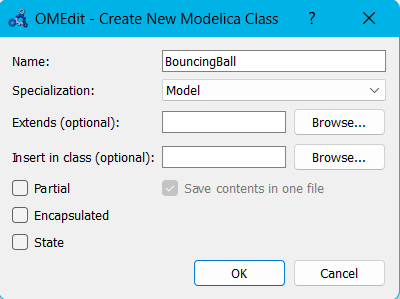
- File → New → New Modelica Class
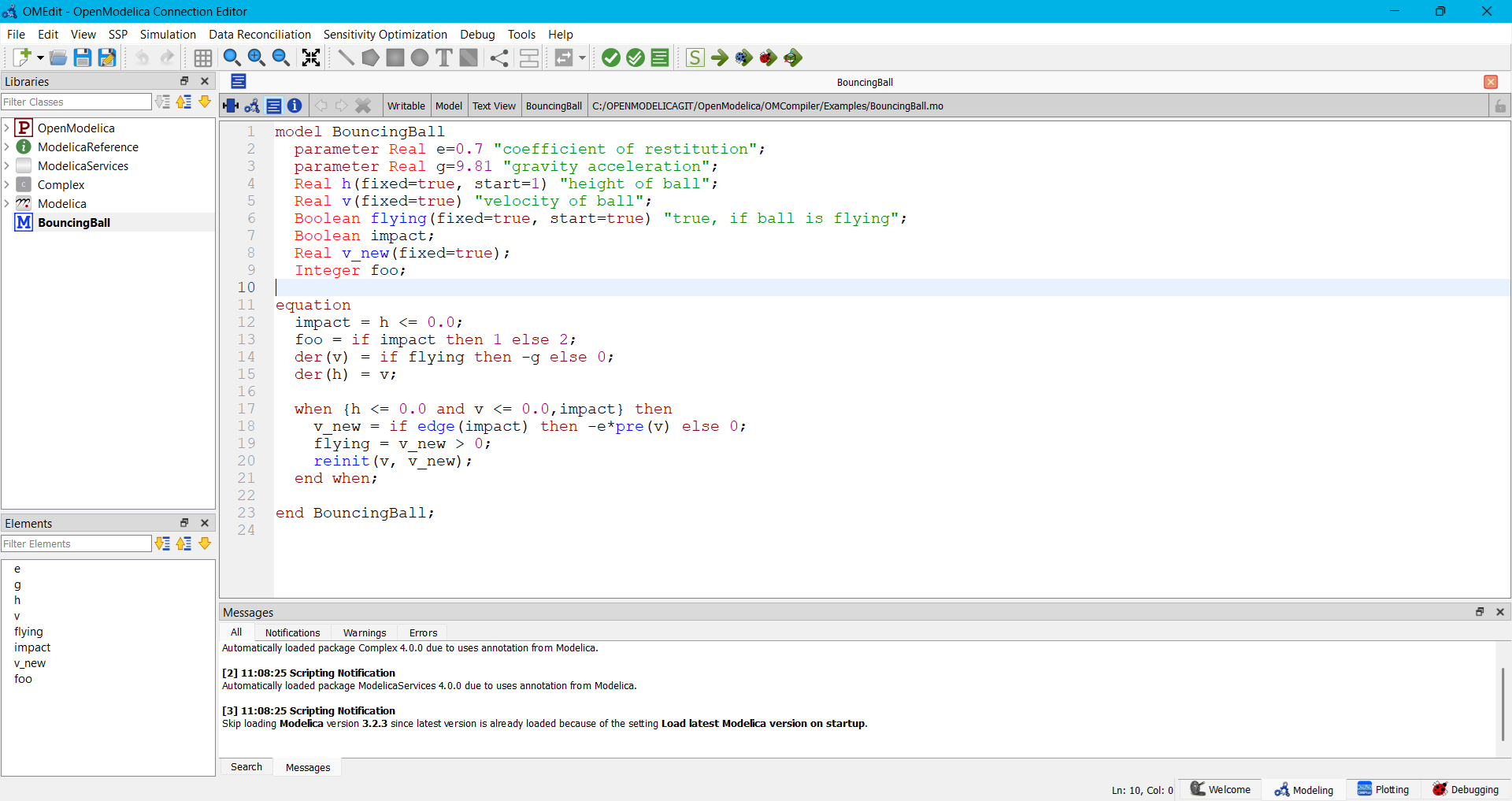
model BouncingBall
  parameter Real e=0.7 "coefficient of restitution";
  parameter Real g=9.81 "gravity acceleration";
  Real h(fixed=true, start=1) "height of ball";
  Real v(fixed=true) "velocity of ball";
  Boolean flying(fixed=true, start=true) "true, if ball is flying";
  Boolean impact;
  Real v_new(fixed=true);
  Integer foo;

equation
  impact = h <= 0.0;
  foo = if impact then 1 else 2;
  der(v) = if flying then -g else 0;
  der(h) = v;

  when {h <= 0.0 and v <= 0.0,impact} then
    v_new = if edge(impact) then -e*pre(v) else 0;
    flying = v_new > 0;
    reinit(v, v_new);
  end when;
end BouncingBall;
- Export as FMU
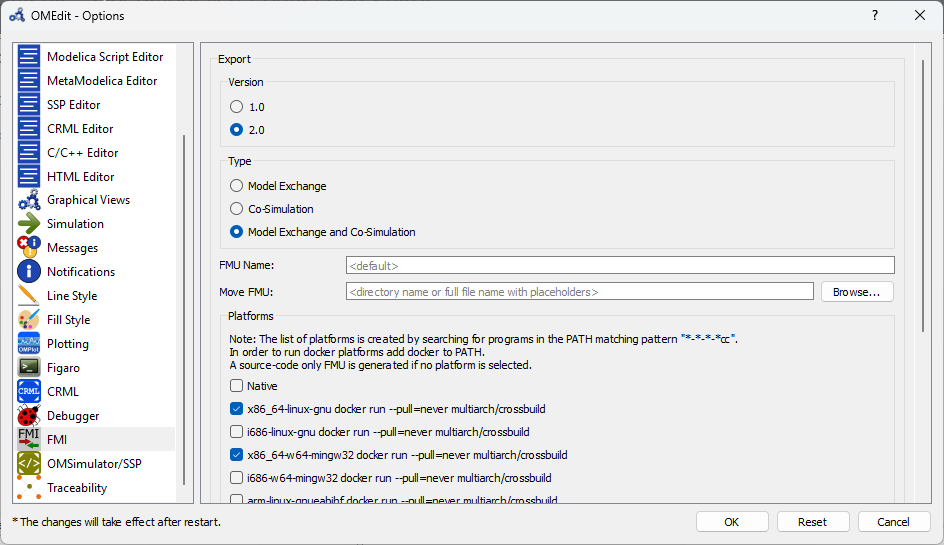
- Navigate to Tools → Options → FMI
- Choose between Model Exchange, Co-Simulation, or both.
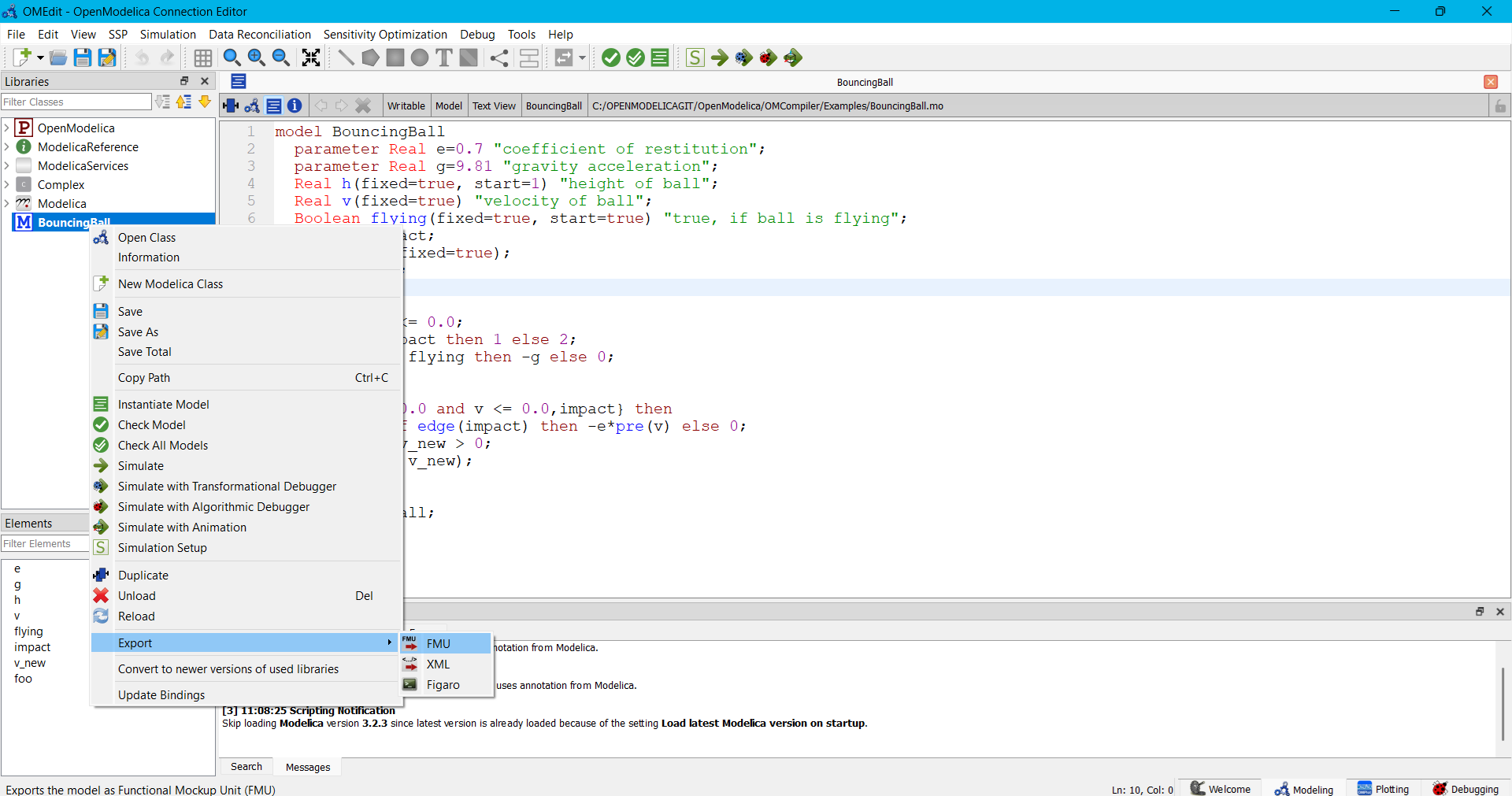
- Right-click on the model in the library browser and navigate to Export → FMU
3. Verify the FMU - Validate the exported FMU by simulating it using OMSimulator or another compatible tool.